According to researchers Nikita Tarakanov and Oleg Kupree they are.
From Network World:
"For one, it's easy to make an image of the USB modem's file system,
modify it and write it on the modem again. There's a tool
available from Huawei to do modem backup and restore, but there are
also free tools that support modems from other manufacturers,
Tarakanov said.
Malware running on the computer could detect the model and version of
the active 3G modem and could write an image with malicious
customizations to it using such tools. That modem would then
compromise any computer it's used on.
The modem contains the installer for an application that gets installed on the computer, as well as the necessary drivers
for different OSes. The application allows the user to stop, start and manage the Internet connection established through
the modem.
The configuration files for the installed application, as well as
those of the application installer stored on the modem,
are in plain text and can be easily modified. One setting in the
configuration files defines what DNS servers the modem should
use for the Internet connection.
An attacker could change those entries to servers controlled by the attacker, Tarakanov said. This would give the attacker
the ability to direct users to rogue websites when they're trying to visit legitimate ones using the modem connection.
While the application installer itself cannot be directly modified to load malware because it's a signed executable, there
are some entries in its configuration file that can be used for this purpose.
For example, many configuration files had paths to antivirus installers and an option of whether to install those programs
or not, Tarakanov said. The researcher said that he never found an antivirus installer shipped with the USB modems he tested,
but the feature was there.
An attacker could create a custom image with a modified configuration file that enables this feature and installs a malicious
file stored on the modem instead of an antivirus program. If the image is written on a USB modem, every time the user would
install the modem application, the malware would also be installed, Tarakanov said.
The researchers also found a possible mass attack vector. Once installed on a computer, the modem application -- at least
the one from Huawei -- checks periodically for updates from a single server, Tarakanov said. Software branded for a specific
operator searchers for updates in a server directory specific to that operator.
An attacker who manages to compromise this update server, can launch mass attacks against users from many operators, Tarakanov
said. Huawei 3G modems from several different Russian operators used the same server, but there might be other update servers
for other countries, he said.
Tarakanov said that he didn't look for vulnerabilities in the actual modem drivers installed in the OS, but he expects them
to have vulnerabilities. The vast majority of third-party drivers in general have vulnerabilities, he said.
Tarakanov specializes in exploit writing and finding vulnerabilities in the Windows kernel mode drivers. However, Oleg Kupreev
was the leader for this particular research project concerning 3G/4G modems.
Research in this area is just at the beginning and there's more to investigate, Tarakanov said. Someone has to do it because
many new laptops come with 3G/4G modems directly built in and people should know if they're a security threat"
Let's hope new models will be safe because I use a 3G usb modem on occasion.
Source: Network World
Showing posts with label mobile. Show all posts
Showing posts with label mobile. Show all posts
Tuesday, March 19, 2013

Wednesday, January 30, 2013
iTunes has detected an iPhone in recovery mode. You must restore this iPhone before it can be used with iTunes

1. Run the restore
Just do it. You know, like Nike says: just do it (showing my age huh?). If you don't, you won't be able to use your iPhone. In iTunes click on the restore button and let it do the work. The restore shouldn't take longer than 10 minutes. There are progress bars through the whole thing.
2. Run your backup if you have one
iTunes will detect the restored iPhone. iTunes will also give some indication of running a backup (if you're using the "authorized" computer - the computer you have iTunes on that you use for charging and syncing your iPhone). If there is a backup detected then run it! Even if it's a few days old or more because if you don't you will be starting your iphone in factory settings mode.
How long does the restore from your backup take? It all depends on the size of your backup, i.e. how many apps you had, music, notes, etc. The restore from backup on my boss's iPhone 5 took about a hour or a little more.
3. Make sure things run correctly
I like to make sure things are running correctly before I give the device back to whomever. Make sure you can receive and send email correctly, that your iTunes store experience is correct, device to computer syncing works, iCloud syncing works and that other important apps are working.
All in all, this process wasn't as *bad* as I thought it would be. Why does this error happen? My boss told me his iPhone 5 began an update and that the didn't have time for it so he unplugged his iPhone from his computer and that's when he couldn't get his iPhone past the screen with the usb cable pointing to the iTunes logo.
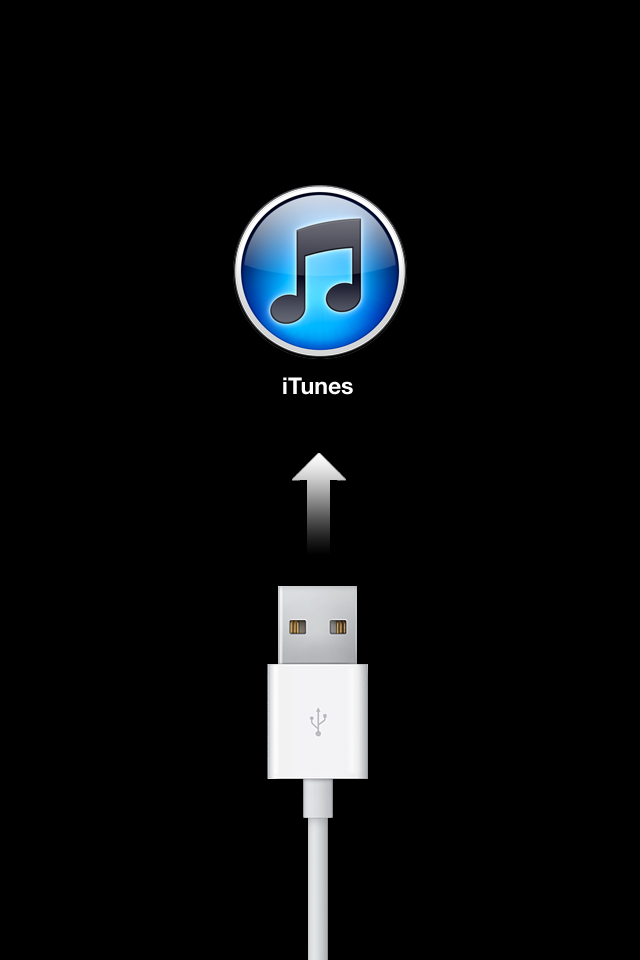
So, if your device (whatever it is) is in "installing an update" mode then LET IT DO IT BEFORE DISCONNECTING IT OR TURNING IT OFF.
Monday, October 15, 2012
How to Use Google Maps on iOS6
Have you heard? No Google maps app on Apple iPhone's iOS6. Yep. That's right. This makes sense for Google, of course, because Google is in competition with Apple. Basically Google is saying, "Hey, competitor, make your own mapping app." While the Google maps app is not available for the iphone, there is a workaround so don't despair. No, it's not the app, but it's still google maps.
Go to Safari. Type in Google in the address bar. Once you're there, click on "maps." You might be asked by the browser if you'd like to add a shortcut icon to your home screen. Do it and now you'll be able to access Google maps on your newly updated iphone. No, it's not perfect and accessing Google maps through the web isn't as fluid as the app version; however, currently, this is the only way to use Google maps on your iOS6 smartphone.
Go to Safari. Type in Google in the address bar. Once you're there, click on "maps." You might be asked by the browser if you'd like to add a shortcut icon to your home screen. Do it and now you'll be able to access Google maps on your newly updated iphone. No, it's not perfect and accessing Google maps through the web isn't as fluid as the app version; however, currently, this is the only way to use Google maps on your iOS6 smartphone.
Subscribe to:
Posts (Atom)